The publisher's server did not answer. This is usually temporary, or your network blocks it.





Report Drone Simulator: FPV Racing
What is wrong with this game?
Are you the copyright owner? Send a takedown notice and we respond within 24 hours.
How to Play Drone Simulator: FPV Racing
- 1. Select Your DroneChoose from six available aircraft, ranging from a small palm-sized whoop up to a large 7-inch long-range cruiser.
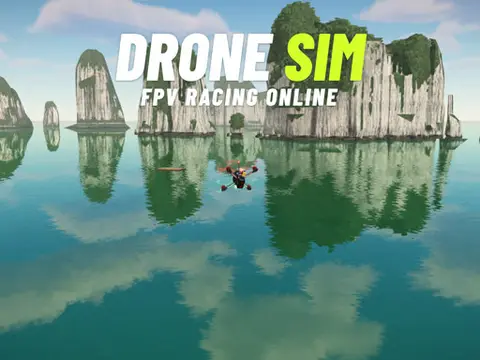
- 2. Pick a CourseFly through rings across eight different tracks, including Ha Long Bay, Hoi An, a toy town, a city at dusk, and an endless generated world.
- 3. Race and ImproveCompete against your own best run's ghost or face bots ranging from Novice to Pro difficulty.
To pilot your aircraft, you can use keyboard stick mode 2 where W and S control the throttle, A and D handle yaw, and the arrow keys manage pitch and roll. Press Space to arm your drone, M to change flight modes, C to switch camera views, R to reset your position, Esc to pause, and H to show the control layout. Gamepad users utilize the left stick for throttle and yaw, and the right stick for pitch and roll. Touchscreen players control movement using two on-screen virtual sticks.
This title runs directly in your web browser without requiring any downloads. The publisher listing explicitly marks the game as mobile ready, allowing players to enjoy the flight physics and racing tracks on supported portable devices using touch controls as well as desktop setups.
About Drone Simulator: FPV Racing
Drone Simulator: FPV Racing is a browser-based 3D racing game featuring realistic flight physics. Players navigate flying machines through eight distinct environments. The available tracks include the limestone towers of Ha Long Bay, the lantern-lit streets of Hoi An by night, a bright toy town, a city at dusk, and an endless generated world. You must thread your craft through rings placed along each course while managing your speed and handling.
The experience includes six different drones to unlock through quests, starting from a compact palm-sized whoop and scaling up to a 7-inch long-range cruiser. Beginners can ease into the mechanics by selecting GPS mode, which holds the altitude so you only need to push the throttle up. As you gain confidence, you can switch to Angle mode for increased control or progress to Acro mode for full freestyle maneuvers. If you crash, the game instantly respawns you at the most recent checkpoint.
This browser game suits players interested in flight physics and quadcopter handling, whether they are new to flying or experienced with racing simulations. The listing does not specify the exact audio options, loading times, or system hardware requirements needed to run the WebGL engine smoothly. You can expect a straightforward racing experience centered around beating ghost times and racing against bots across fixed and generated tracks.
Drone Simulator: FPV Racing is listed on GameMonetize under 3D and Racing, with the tags 3D, Driving, Flight, fly, Physics, Race. The publisher marks it as mobile ready, so it can also be played in a phone or tablet browser. Drone Simulator: FPV Racing is free to play, needs no account and does not ask you to download anything.
Tips and Tricks
Start in GPS Mode
If you are new to flying drones, begin your sessions in GPS mode. This setting automatically holds your altitude, allowing you to focus purely on pushing the throttle up and moving forward without constantly worrying about height control.
Progress Through Flight Modes
Once you feel comfortable with the basic throttle mechanics, switch to Angle mode to gain more active control over your aircraft. When you have mastered that, try Acro mode to unlock full freestyle capabilities and tighter turns.
Watch the Checkpoints
Crashing during a high-speed run happens frequently on tighter courses. Do not worry about mistakes because the game automatically respawns you right at your last checkpoint, letting you quickly resume your practice without restarting the whole track.
Race Against Ghosts
Improve your lap times by racing against the ghost of your best run. Seeing your previous path visually helps you identify where you lost speed or took too wide of a turn around the course rings.
Drone Simulator: FPV Racing FAQ
Is Drone Simulator: FPV Racing free to play?
Yes, you can play this game for free directly in your web browser without needing to purchase any subscriptions or items.
What controls are supported?
You can play using a keyboard with stick mode 2, a gamepad with dual sticks, or touch controls using two on-screen sticks on compatible devices.
Can I play this game on my mobile device?
Yes, the publisher listing marks this game as mobile ready, meaning you can access and play it using touch controls on supported portable screens.
What is the main goal of the game?
The main objective is to race through the rings of eight different courses, beat your best run's ghost, and compete against bot opponents from Novice to Pro level.
Do I need to download anything to play?
No, this is a WebGL browser game that loads directly in your internet window without requiring any client downloads or installation files.
Similar Games
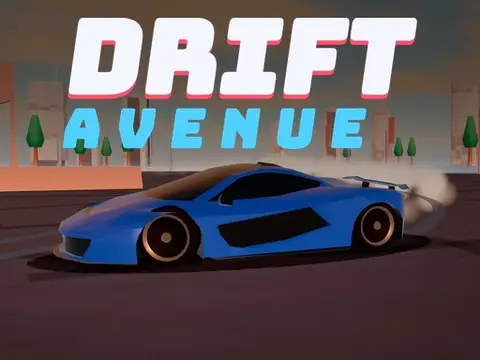
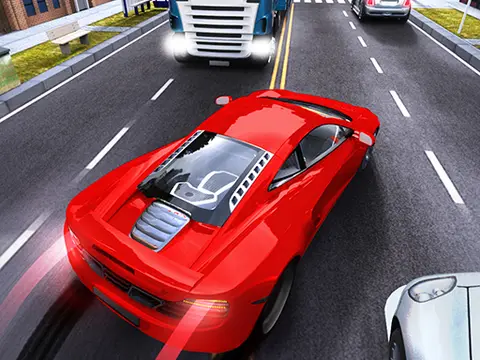
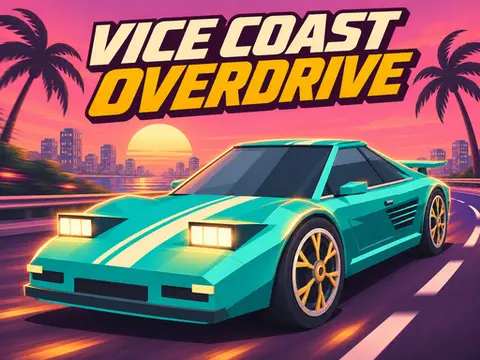
If you enjoy Drone Simulator: FPV Racing, there are more games to try right now. Traffic Racer (drive through highway traffic, earn cash and upgrade your ride in an endless arcade racer); Extreme Car Driving (a 3D driving simulator with four game modes, open world missions and difficult parking challenges); Vice Coast Overdrive (steer the turquoise Sunrunner through timed highway sprints and dodge traffic on GameMonetize); Drift Avenue (slide through an open city, chain drifts, and upgrade cars in this 3D racing experience).